Accessibility

Palindrome Research Link Saver
Download and install the Palindrome Research Link Saver extension 1.0.0 for Microsoft edge store. Also, Palindrome Research Link Saver addons is…

By sentencesegmentationnlp
Directory listing • metadata needs current verificationDownload and install the Sentence Segmenter extension 1.6.8 for Microsoft edge store. Also, Sentence Segmenter addons is very helpful for every computer and mobile users Users.
Sentence Segmenter Extension For Microsoft Edge you can help with quality browsers. Day by Day, Microsoft Edge. This guide will help you to download Sentence Segmenter extension 1.6.8 on their website. Anyway, Sentence Segmenter is developed by sa1hon . First, you must download their Edge browser then this guide will help to install on their browser through the extension.
In the event that you have wanted to download an extension onto the latest version of Microsoft Edge, there is a simple and straightforward course of action. The following steps will enable you to download and install any extensions that you might want to use.
Edgeaddons.com is the most popular Microsoft Edge browser, an extension free download alternative website. On this website you can download Extensions no need for any Registration. I think you have a better solution to this website. Sentence Segmenter is the Accessibility category extension in the Microsoft Edge web store.
Anyway, You can understand how to download the free Sentence Segmenter extension 1.6.8 simply by visiting our website. There are no special technical skills required to save the files on your computer. So what are you waiting for? Go ahead!
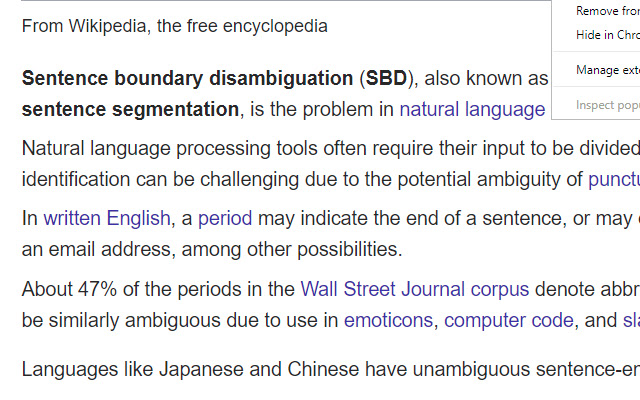
This extension will make your text easily readable by separating sentences based on periods.
This extension can help make text easier to read by putting each sentence of a webpage on a new line (separated based on periods).
You can activate the segmentation by clicking on the top-right icon.
Github: https://github.com/AhmadHassanAwan/Sentence-Segmentation
If you need to reread, it can be faster to find the beginning of sentences that all start on the left.
Sentence structure can also become clearer.
If you’re skimming, you can abandon a sentence, and quickly find another sentence.
—
**Additional notes**
Segmenting a page is like creating a snapshot.
Certain elements can’t be clicked on and expanded anymore, like comment threads.
Expand first if necessary, and then segment.
You can refresh the page to turn off the segmentation effect.
Spacing between sentences is similar to the Microsoft Word setting:
Microsoft Word -> Home -> Paragraph -> Indents and Spacing -> Spacing ->
Line spacing single
Before After 6 pt
To create a shortcut that activates the sentence segmenter, go to the extensions page (chrome://extensions/), and click on Keyboard Shortcuts at the bottom.
—
**Period double-space option**
In addition to replacing “period” “space” with “period” “new-line”, you can replace with “period””space””space”.
Right-click the icon, and go to “options”.
An eye-tracking study found that text was easier to read when periods were followed by two spaces.
An eye-tracking study found that text was easier to read when periods were followed by two spaces.
by u/shiruken in science
> Although comprehension was not affected by punctuation spacing, the eye movement record suggested that initial processing of the text was facilitated when periods were followed by two spaces, supporting the change made to the APA Manual.
https://link.springer.com/article/10.3758%2Fs13414-018-1527-6
In conclusion, the process for modifying our browser’s behaviour to add the word count feature is unbelievably simple. In this regard, an extension not only solves a problem that we have but also adds a greater degree of functionality to the experience of using an Edge browser. If you have any problem with Sentence Segmenter Add-ons install feel free to comment below next reply to answer this question.
Directory information may be outdated. Review the current publisher, requested permissions, pricing, reviews and privacy policy on the official store. A listing here is not a security certification or endorsement.
Other listings in related categories. Similarity does not imply equivalent features.
Download and install the Palindrome Research Link Saver extension 1.0.0 for Microsoft edge store. Also, Palindrome Research Link Saver addons is…
Download and install the ChromeZign Demo extension 0.2 for Microsoft edge store. Also, ChromeZign Demo addons is very helpful for every…
Download and install the imjaylin extension 1.0 for Microsoft edge store. Also, imjaylin addons is very helpful for every computer and…